Introduction
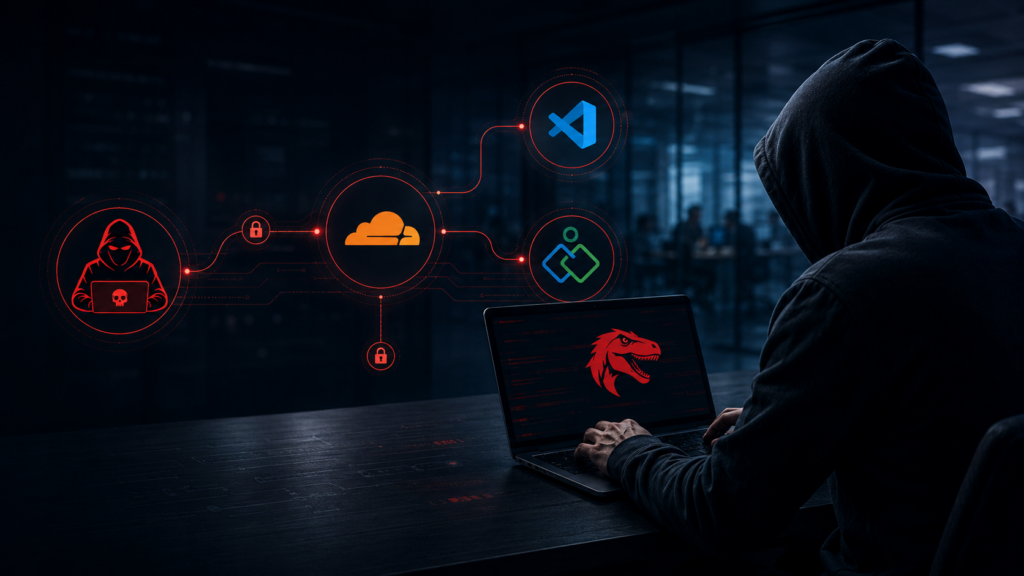
The Velociraptor attack is one of the most deceptive access campaigns security teams are facing right now. Threat actors are turning legitimate cybersecurity tools against the defenders who rely on them every day. Instead of using obvious malware, attackers are abusing trusted platforms, remote access tools, cloud services, and security utilities to stay hidden inside compromised networks.
This campaign matters because the tools involved are familiar. Velociraptor is an open-source digital forensics and incident response tool used by security teams. Cloudflare is a legitimate global network platform. Zoho remote access tooling is commonly used for support and management. VS Code is one of the most widely used code editors in the world. When attackers abuse trusted tools, standard alerts often stay quiet. As a result, the threat can hide in plain sight while defenders focus on more obvious malware indicators.
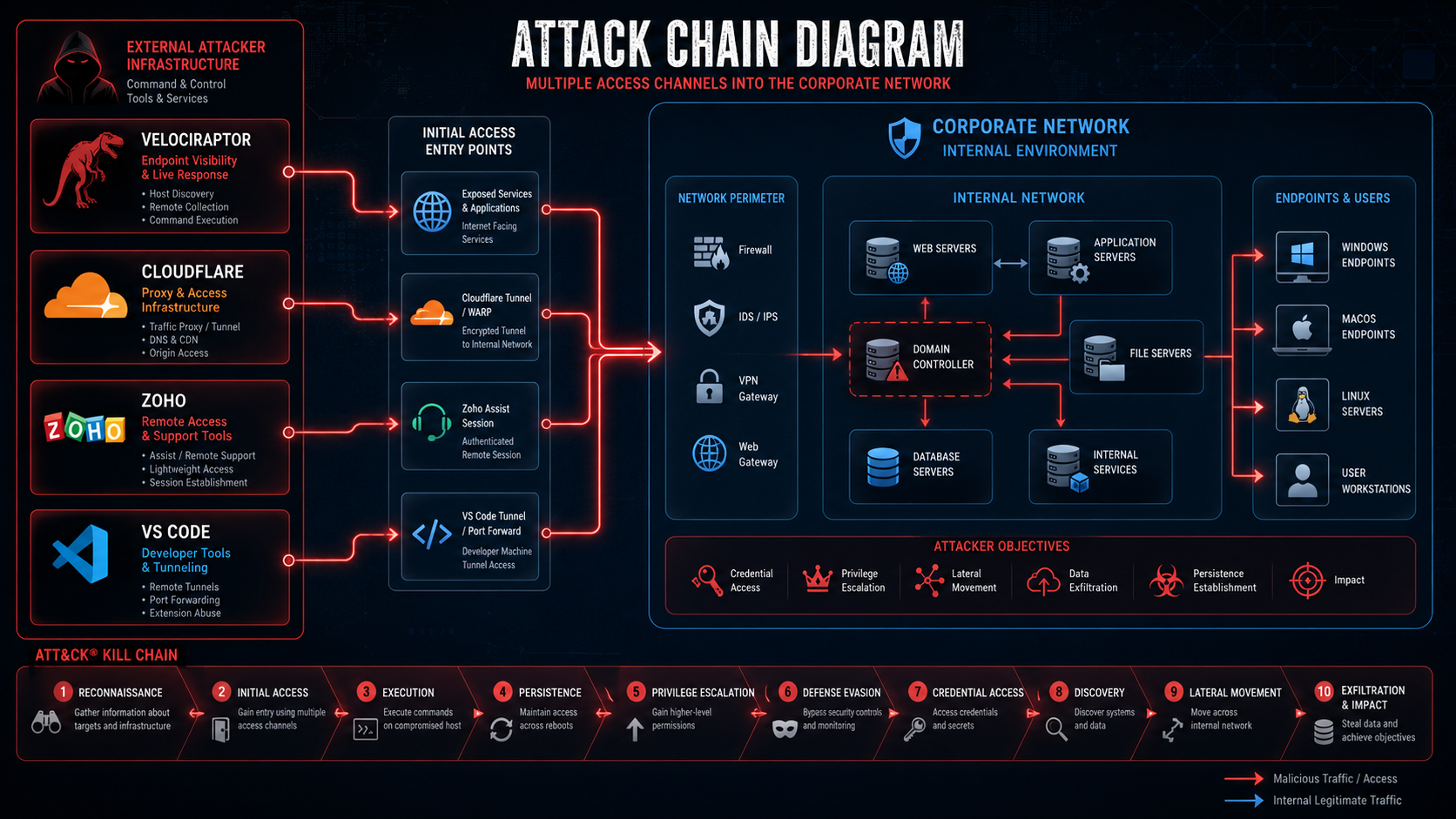
The most concerning part is not just the use of one legitimate tool. It is the layered access model. Attackers can create multiple remote access paths into the same environment. If defenders remove one tool but miss another, the attacker may still have a working path back into the network.
Why the Velociraptor Attack Discovery Is Especially Alarming
This campaign shows how modern attackers increasingly prefer legitimate software over traditional malware. That shift creates a serious detection challenge for enterprises, mid-market organizations, and smaller security teams. Tools that normally appear safe can become attacker infrastructure when they are installed without approval, configured to connect to unknown systems, or used outside normal business workflows.
The discovery is especially alarming because attackers can use these tools to establish persistence, perform reconnaissance, move laterally, and maintain command and control. Even worse, a compromised environment may contain more than one threat actor at the same time. When access is exposed, sold, reused, or shared, one breach can become several overlapping intrusions.
For more context on how attackers abuse trusted developer workflows, see Digital Warfare’s internal analysis on VS Code Remote SSH RCE risks.
What Is the Velociraptor Attack Campaign
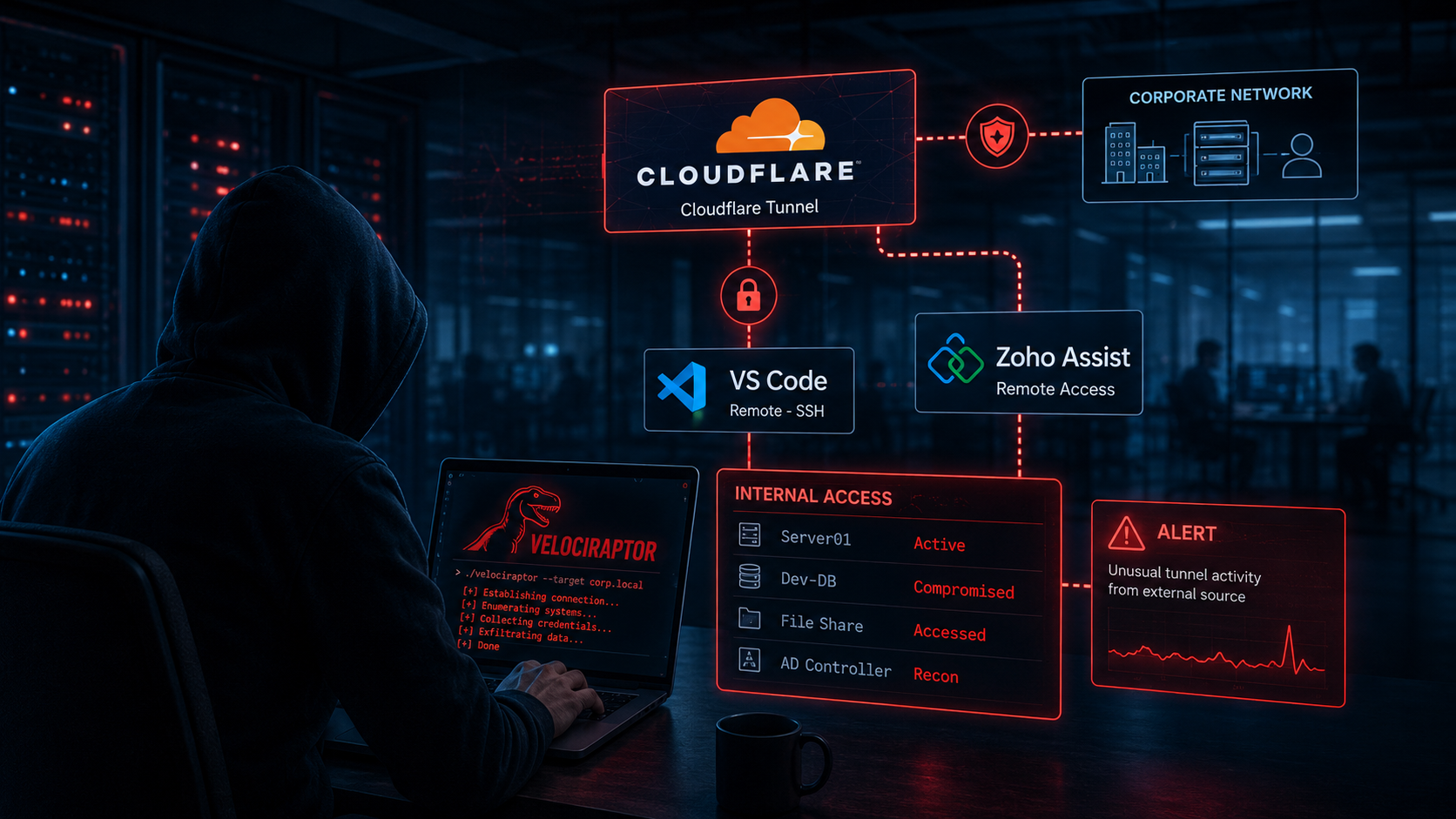
The Velociraptor attack campaign is a multi-tool access operation. It begins with initial access through a vulnerable public-facing system. After that, attackers deploy legitimate remote access tools and cloud-based tunneling services to create separate paths back into the compromised environment.
Each access layer gives the attacker another fallback option. If defenders discover one channel and remove it, another may remain active. This makes cleanup harder and increases the chance that the attacker can return after the initial response appears complete.
Velociraptor is especially powerful because it was built for legitimate forensic work. It can collect endpoint data, run queries, retrieve files, and help incident responders investigate systems at scale. In the wrong hands, those same features can support attacker reconnaissance, command execution, and persistence.
Why This Attack Is Especially Dangerous
This attack is dangerous because the tools are not inherently malicious. Security products may not flag them because defenders and IT teams use them for legitimate work. That makes the campaign harder to detect using basic signature-based controls.
Attackers benefit from this trust. A Velociraptor agent may look like a normal incident response tool. A Cloudflare tunnel may look like normal encrypted traffic to a trusted provider. A Zoho remote access agent may resemble an approved support tool. A VS Code tunnel may blend into developer activity. Without strong asset control, logging, and behavioral detection, these tools can remain unnoticed.
The real danger is operational confusion. During an incident, defenders may remove the most obvious tool and assume the breach is contained. However, if another tunnel, remote support agent, scheduled task, or developer access channel remains active, the attacker can continue operating.
How Attackers Launch the Velociraptor Attack
The attack begins with a vulnerable entry point, then builds access layer by layer. In the reported SolarWinds Web Help Desk campaign, attackers exploited weaknesses in internet-exposed systems and then used legitimate tools to maintain persistence and control.
The important lesson is that the attack chain does not depend on one single tool. It depends on trust. Attackers abuse the trust organizations place in remote support platforms, cloud tunneling providers, developer tools, and security software.
Step 1: Initial Access Through SolarWinds Web Help Desk
Attackers first exploit vulnerable SolarWinds Web Help Desk instances exposed to the internet. Once they gain code execution, they can use the compromised service to launch PowerShell, download tools, and prepare the machine for deeper access.
This initial access is especially dangerous because help desk platforms often sit close to sensitive internal systems. They may have service accounts, administrative integrations, ticket data, user information, and network visibility. If attackers compromise this type of system, they can quickly move from a single exposed application to a broader enterprise compromise.
Organizations running SolarWinds Web Help Desk should confirm they are fully patched, restrict public exposure, review logs, and rotate credentials connected to the platform.
Step 2: Remote Access Tooling Creates the First Persistent Channel
After gaining access, attackers deploy remote access tooling to create a reliable foothold. In the reported campaign, Zoho-related remote access activity was observed after SolarWinds Web Help Desk exploitation. This gave attackers an easier way to return to the compromised system and interact with it like a remote administrator.
This step matters because remote support agents are common in real environments. Many organizations use them every day. If the attacker installs a tool that resembles normal IT activity, the security team may not notice it immediately.
Defenders should review all remote access tools across the environment. Any remote management platform, support agent, or unattended access tool should have a clear owner, approved business purpose, and documented configuration.
Step 3: Velociraptor Deployment as Command and Control
After the initial foothold, attackers deploy Velociraptor to support command and control activity. Because Velociraptor is a legitimate incident response tool, its presence may not immediately appear suspicious. That is exactly why attackers choose it.
A malicious Velociraptor deployment can give attackers powerful visibility into endpoints. It can help them query systems, collect files, inspect processes, and gather information across the compromised host. If the agent connects to an attacker-controlled server instead of a legitimate internal server, defenders may miss the real purpose of the installation.
The key detection point is not simply whether Velociraptor exists. The key question is whether it was approved, whether the version is expected, whether the server connection is legitimate, and whether the device is supposed to run that agent at all.
Step 4: Cloudflare Tunnels Create a Hidden Access Channel
Attackers also abuse Cloudflare tunnels to create hidden remote access paths. Cloudflare is widely trusted, so outbound traffic to Cloudflare infrastructure may not receive the same level of scrutiny as traffic to unknown attacker infrastructure.
A Cloudflare tunnel can allow an attacker to reach internal systems without opening an obvious inbound firewall rule. This is why tunnel abuse is so dangerous. From the outside, defenders may not see a traditional exposed service. From the inside, the compromised machine quietly maintains an outbound connection to a trusted cloud provider.
Organizations should monitor Cloudflare tunnel usage carefully. Approved tunnels should be documented. Unapproved cloudflared services should trigger investigation. Outbound tunnel traffic from servers that do not normally use Cloudflare should be treated as suspicious.
Step 5: VS Code Tunnels Add Another Access Layer
Attackers may also abuse VS Code-related remote access features when the tool is available in the environment. VS Code is trusted by developers and widely installed across engineering teams. That makes it attractive to attackers who want to blend into normal activity.
VS Code tunnel traffic can be difficult to block in developer-heavy environments because organizations may rely on Microsoft services and remote development workflows. This creates another detection challenge. Security teams must distinguish approved developer activity from suspicious tunnel creation, unexpected command execution, or unauthorized remote access.
For deeper context on the risk of trusted development workflows, see Digital Warfare’s related article on VS Code Remote SSH vulnerability exposure.
Step 6: Data Collection and Cloud-Based Triage
Once access is established, attackers often collect system information. This can include hardware details, running processes, installed software, local users, network configuration, domain information, and security controls.
The goal is simple. Attackers want to understand the value of the compromised environment. They need to know whether the system can lead to domain access, sensitive data, privileged accounts, backup platforms, cloud credentials, or ransomware deployment opportunities.
Cloud services can make this process harder to detect. If attackers send collected data to a legitimate cloud platform, the traffic may appear less suspicious than traffic to a known malicious server. This is why organizations must monitor unusual outbound data movement, even when the destination is a trusted provider.
Step 7: Defence Evasion and Persistence
Attackers may also disable security controls, change registry settings, create scheduled tasks, deploy additional tools, or use vulnerable drivers to interfere with endpoint protection. These actions help the attacker remain inside the environment longer.
Persistence is rarely limited to one method. A single compromised host may contain a remote access agent, a tunnel, a scheduled task, a malicious configuration, stolen credentials, and a backup access method. Removing only one item does not guarantee the attacker is gone.
Incident response teams should treat every confirmed access channel as part of a larger persistence strategy. Cleanup must include endpoint review, account review, network traffic review, cloud access review, and remote management tool review.
Two Threat Actors Found in the Same Network
One of the most serious lessons from this type of campaign is that one confirmed attacker does not always mean one intrusion. In some cases, more than one threat actor may operate inside the same victim environment. This can happen when the same initial access is reused, resold, or independently discovered.
This changes how defenders should think during incident response. It is not enough to remove the first tool or block the first domain. Security teams must search for other access methods, other persistence mechanisms, and other attacker behaviours that may not match the original intrusion pattern.
A narrow investigation can leave a second attacker behind. A complete investigation must assume the environment may contain multiple forms of unauthorized access.
Why Two Simultaneous Attackers Matter
Two unrelated attackers in the same network create a serious response problem. Each attacker may use different tools, different infrastructure, and different objectives. One may focus on persistence. Another may focus on data theft. Another may prepare for ransomware deployment.
This means defenders cannot rely on a single set of indicators. They must hunt broadly. They should examine remote access software, unusual services, scheduled tasks, DLL sideloading behavior, suspicious PowerShell activity, unexpected outbound tunnels, and abnormal administrative logins.
The presence of multiple access paths also suggests that the original exposure may be severe. If one attacker can exploit it, others may be able to do the same. That makes patching, credential rotation, and external exposure reduction urgent.
Why the Velociraptor Attack Puts Every Organization at Risk
This campaign is not only a SolarWinds Web Help Desk problem. The broader issue is the abuse of legitimate tools. Every organization uses trusted software. Every organization has remote support needs. Many organizations use cloud platforms, developer tools, and endpoint management utilities.
That creates a wide attack surface. Attackers no longer need to bring obvious malware into the environment if they can abuse tools already trusted by defenders. This is why asset inventory, application control, identity monitoring, and outbound traffic analysis are critical.
Enterprise teams face risk because they often have large tool footprints and complex remote access workflows. SMBs face risk because they may lack full-time security monitoring. Hybrid environments face risk because cloud traffic can blend into normal operations. Developer environments face risk because tools like VS Code are powerful and commonly trusted.
For another example of how attackers use compromised systems as pivot points, see Digital Warfare’s analysis of GammaWorm malware and cloud-based command infrastructure.
Enterprise Risk From Trusted Tool Abuse
Enterprise environments often contain many legitimate tools that can be misused. Security teams may approve remote access platforms, endpoint agents, cloud tunnels, developer tools, and forensic utilities for valid business reasons. However, attackers can abuse the same trust relationships.
The risk increases when organizations do not maintain a clean inventory of approved tools. If no one knows which systems should run cloudflared, Velociraptor, Zoho agents, or VS Code tunnel features, suspicious activity becomes harder to separate from normal operations.
Enterprises should maintain a known-good baseline for administrative tools, remote access utilities, and security agents. Anything outside that baseline should be investigated quickly.
SMB and Mid-Market Risk
Smaller organizations may face even greater practical risk. They often rely on managed service providers, remote support platforms, and outsourced IT teams. These tools are useful, but they also create opportunities for attackers to hide.
An SMB may not have a mature SIEM, EDR team, or 24-hour SOC. That means suspicious tunnel traffic, unauthorized remote support agents, or unexpected PowerShell activity may go unnoticed for longer. Attackers know this and often target organizations where detection is slower.
The best defense for SMBs is not complexity. It is control. Know which remote tools are approved. Require MFA. Restrict admin access. Patch exposed systems quickly. Review remote access logs. Remove public exposure wherever possible.
Cloud and Hybrid Environment Risk
Cloud and hybrid environments make this attack model more difficult to detect. Attackers can abuse legitimate cloud services for staging, relay, storage, and traffic blending. If the destination appears to be a trusted provider, basic firewall rules may allow the connection.
Cloudflare, Microsoft, Elastic, and other platforms all have legitimate uses. Blocking them entirely may not be realistic. Instead, organizations need policy-based monitoring. They should know which teams are allowed to use which services, from which systems, and for what purpose.
Unexpected cloud tunnel creation, unusual outbound connections, and data movement to unapproved cloud tenants should generate alerts.
Regulatory and Financial Exposure
The business impact can be severe. If attackers gain access to directory services, administrative credentials, support systems, customer records, or regulated data, the organization may face legal, regulatory, and financial consequences.
A confirmed breach may trigger notification requirements under privacy laws, contractual obligations, cyber insurance terms, or industry regulations. Forensic investigations can also become expensive when multiple access channels and possible multiple threat actors are involved.
The longer the attacker remains hidden, the more costly the response becomes. That is why early detection and complete cleanup matter.
Five Real-World Velociraptor Attack Scenarios
A help desk server exposed to the internet can become the first entry point. Attackers exploit the vulnerable system, deploy remote access tooling, install Velociraptor, and begin mapping the environment. Within a short period, they may identify domain systems, administrative users, and high-value assets.
A second scenario involves partial cleanup. The incident response team removes Velociraptor from the compromised host and closes the case too early. However, a Cloudflare tunnel remains active. The attacker uses that tunnel to return and redeploy tools after the response team leaves.
A third scenario involves a missed second attacker. The security team focuses on the first known toolset and removes matching indicators. Meanwhile, another attacker uses a different persistence method, such as DLL sideloading or a hidden backdoor. Months later, the organization discovers that the original response did not remove all unauthorized access.
A fourth scenario involves a developer workstation. An attacker finds VS Code installed and abuses remote development functionality to create a trusted access path. Because Microsoft and developer traffic are common in the environment, the security team may not immediately recognize the tunnel as suspicious.
A fifth scenario involves cloud-based victim triage. Attackers collect system data from several victims and send it to a cloud platform for sorting and analysis. They then prioritize the environments with the most valuable access, highest privilege levels, or easiest path to data theft.
How to Detect the Velociraptor Attack on Your Network
Detection must focus on behaviour, not only malware signatures. The tools involved may be legitimate, so the question is whether they are expected, approved, and configured correctly.
Security teams should look for Velociraptor installations on systems where the tool is not approved. They should check whether the agent connects to a known internal server or an unknown external destination. They should review service creation events, process execution logs, and endpoint telemetry for unexpected activity.
Teams should also search for cloudflared services on systems that should not use Cloudflare tunnels. They should investigate VS Code launched with tunnel-related arguments, remote access tools configured for unattended access, and PowerShell activity used to collect system information.
A strong detection strategy should include endpoint telemetry, DNS logs, proxy logs, firewall logs, identity logs, and cloud access records.
Velociraptor Attack Indicators to Check Immediately
Security teams should review endpoints for unauthorized Velociraptor services, unexpected Velociraptor binaries, suspicious service paths, unknown Velociraptor server connections, and unusual application event logs tied to Velociraptor activity.
They should also search for cloudflared installations, unexpected tunnel services, suspicious outbound connections to Cloudflare Workers domains, and unapproved remote access agents. If Zoho remote access tooling appears on a system, it should be tied to an approved owner and business purpose.
Teams should also review scheduled tasks, especially tasks with unfamiliar names or tasks created around the suspected compromise window. Any task used to launch PowerShell, remote access tools, tunnels, or unknown binaries should be investigated.
Log and EDR Detection Rules for the Velociraptor Attack
EDR and SIEM detections should alert when msiexec downloads installers from unusual internet locations. They should also flag Velociraptor service creation on non-approved devices, cloudflared service installation, and VS Code tunnel activity from systems where remote development is not expected.
PowerShell activity deserves close review. Scripts that collect system information, enumerate users, inspect processes, or transmit data externally should generate alerts when they occur outside approved administrative workflows.
Defenders should also monitor registry changes that disable Windows Defender, weaken firewall settings, or alter security logging. These changes may indicate preparation for deeper compromise.
Threat Hunting Steps for the Velociraptor Attack
Threat hunters should search across all endpoints for Velociraptor binaries, cloudflared services, Zoho remote access agents, VS Code tunnel activity, suspicious scheduled tasks, and unexpected QEMU installations.
They should review outbound traffic to Cloudflare Workers domains, unapproved cloud storage locations, unfamiliar dynamic DNS domains, and unknown remote management infrastructure. They should also inspect authentication logs for suspicious administrative logins, service account usage, and lateral movement attempts.
Threat hunting should not stop after the first malicious tool is found. The campaign’s main lesson is layered persistence. Every access channel must be identified and removed before defenders can trust the cleanup.
For broader enterprise compromise context, see Digital Warfare’s analysis of F5 BIG-IP exploitation and network pivoting.
How to Respond to a Velociraptor Attack on Your Network
Responding to this campaign requires full-scope containment. Removing one tool is not enough. Defenders must treat the intrusion as a layered access event and investigate every possible path the attacker may have created.
The first priority is patching and exposure reduction. SolarWinds Web Help Desk should be updated immediately, and public access to administrative paths should be removed or heavily restricted. If the platform was exposed during the compromise window, assume credentials connected to it may be at risk.
The second priority is tool removal. Unauthorized Velociraptor agents, cloudflared services, remote access agents, VS Code tunnels, suspicious scheduled tasks, and unknown binaries should be removed only after evidence is preserved and response teams understand how they were installed.
The third priority is credential reset. Administrative accounts, local admin passwords, service accounts, and accounts used on or near the compromised system should be rotated. MFA should be enforced wherever possible.
The fourth priority is monitoring. After cleanup, defenders should continue watching for reactivation attempts, new tunnel creation, suspicious remote access logins, and repeated exploitation attempts.
For the one external source in this article, review the Huntress advisory on active SolarWinds Web Help Desk exploitation.
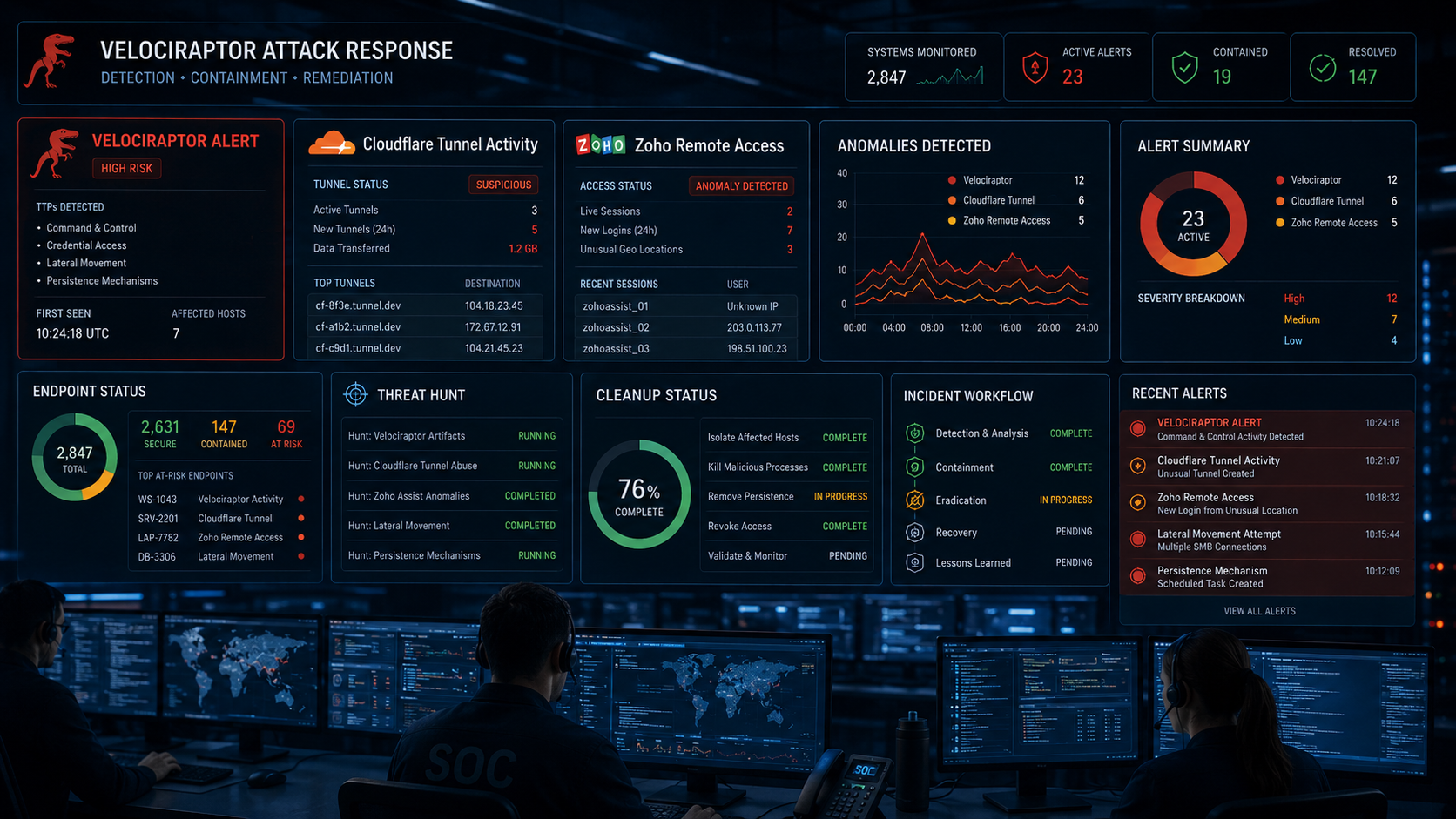
Why the Velociraptor Attack Signals a Major Shift in Attacker Tactics
This attack signals a larger shift in cyber operations. Attackers increasingly prefer tools that already exist in legitimate environments. They do this because trusted tools reduce detection risk, simplify access, and make malicious activity look like normal administration.
Traditional detection models focused heavily on malware. That approach still matters, but it is no longer enough. A modern attacker may not need a custom malware family if they can abuse remote access software, cloud tunnels, developer tools, and forensic agents.
Security teams must now monitor trusted tools with the same seriousness as unknown binaries. The question is no longer, “Is this tool legitimate?” The better question is, “Is this tool legitimate in this place, on this system, for this user, at this time?”
Defenders Must Treat Their Own Tools as Attack Vectors
Velociraptor was built for defenders. Cloudflare supports legitimate network operations. Zoho tools support remote work and IT assistance. VS Code supports developers. None of these tools are automatically malicious.
However, any powerful tool can become dangerous when attackers control it. That is why organizations need strict governance over administrative software. Every remote access tool should have an owner. Every tunnel should have a documented purpose. Every forensic agent should connect to approved infrastructure. Every developer remote access feature should be monitored.
Trusted tools should not receive blind trust. They should receive controlled trust.
Multi-Layer Access Makes Incident Response Harder
Incident response becomes much harder when attackers deploy several access channels at once. Each channel may use a different provider, protocol, process, service name, or authentication path. Removing one does not remove the others.
This is why response teams must map every persistence method before closing the incident. They should build a timeline of tool installation, service creation, command execution, account usage, outbound connections, and security control changes.
A clean system image or single-tool removal may not be enough. The response must include the host, identity layer, network layer, cloud layer, and administrative tooling layer.
Key Takeaway on the Velociraptor Attack
The Velociraptor attack shows how legitimate tools can become powerful attacker weapons. By abusing trusted platforms such as Velociraptor, Cloudflare tunnels, Zoho remote access tooling, and VS Code-related access paths, attackers can maintain stealthy access without relying on obvious malware.
The main lesson is simple. Security teams must monitor trusted tools, restrict unnecessary remote access, patch exposed systems quickly, and hunt for layered persistence after any confirmed compromise.
Organizations should not assume one removed tool means the breach is over. They should assume every confirmed access path may be part of a broader intrusion and investigate accordingly.
What to Do Right Now
Patch SolarWinds Web Help Desk immediately and remove unnecessary public exposure. Review all internet-facing applications for known vulnerabilities and restrict access to administrative interfaces.
Hunt for unauthorized Velociraptor installations, cloudflared services, Zoho remote access agents, VS Code tunnel activity, suspicious scheduled tasks, and unusual outbound cloud connections.
Reset administrative credentials connected to the affected environment. Rotate service account passwords, enforce MFA, and review privileged logins during the suspected compromise window.
Build SIEM and EDR rules that detect unusual msiexec activity, remote access tool installation, tunnel creation, PowerShell-based system discovery, registry changes that weaken defenses, and suspicious outbound connections to unapproved cloud services.
Finally, assume the possibility of more than one attacker. A complete response should search for additional persistence methods, unknown backdoors, suspicious identity activity, and lateral movement beyond the first known host.
Frequently Asked Questions About the Velociraptor Attack
What Is the Velociraptor Attack?
The Velociraptor attack is a multi-tool access campaign where attackers abuse legitimate cybersecurity, remote access, cloud tunneling, and developer tools to maintain access inside compromised networks. The campaign is difficult to detect because the tools involved may appear legitimate unless defenders review how they were installed, configured, and used.
Why Do Attackers Use Velociraptor?
Attackers use Velociraptor because it is a powerful forensic tool with legitimate endpoint visibility and remote investigation features. When pointed at attacker-controlled infrastructure, those same features can help attackers inspect systems, collect data, and support command and control activity.
How Does the Attack Maintain Access?
The attack maintains access by layering multiple tools and access channels. A compromised system may contain a remote access agent, a Cloudflare tunnel, a Velociraptor agent, VS Code tunnel activity, scheduled tasks, or stolen credentials. Each layer gives the attacker another way back into the environment.
Why Are Cloudflare Tunnels Dangerous in This Campaign?
Cloudflare tunnels are dangerous because they can create outbound access paths through trusted infrastructure. This can make attacker traffic harder to identify with basic firewall rules. Organizations should document approved tunnel usage and investigate unapproved cloudflared services immediately.
How Should Organizations Respond?
Organizations should patch exposed systems, remove unauthorized tools, preserve evidence, rotate credentials, enforce MFA, review outbound traffic, and conduct a broad threat hunt. Response teams should not close the incident until every access channel has been identified and removed.

